Step 1 of 4 It lists the folder
One command over SSH: the file names, and the first lines of the few files that could be an input or an output.
CONTCARINCARKPOINTSOSZICAROUTCARPOSCARPOTCARXDATCARsub.shHiveBoard reads your cluster’s queue over SSH and shows, for each job, its progress, the time left, how it is converging and what the structure looks like. It runs on your own computer and installs nothing on the cluster.
 HiveBoard Ember Updated just now
 pt111-co-relax
VASP Relax RunningRelaxing the structure: 23 of up to 120 ionic steps complete.
How this was estimated: ~400s per ionic step × up to 97 steps left (often converges sooner)
No chart yet — nothing has run.
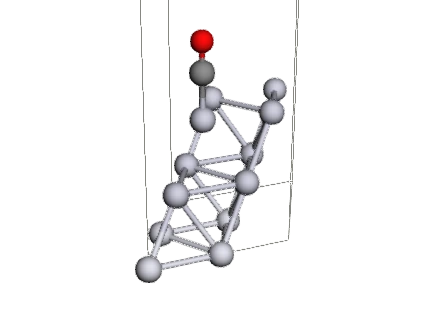
That is HiveBoard in miniature. Open another job in the list, pause it, or turn the molecule with the pointer.
VASP, ORCA, Quantum ESPRESSO, Gaussian, GROMACS, LAMMPS and fourteen more. Every job is tagged with its code and the kind of calculation it is.
See the codesNothing on a server changes unless you turn job control on for that server. Even then: your own jobs only, and it asks first.
See the guaranteesIt asks over SSH, with the commands that are already there. Type a server’s address; HiveBoard checks it and can create a key for you.
See it connectThat is the whole idea. The rest of this page shows each part working.
How it reads a job
HiveBoard never copies your output home and never runs anything of its own on the cluster. It asks two short questions over SSH and reads the answers. Here is what it does with the job from the top of this page.
One command over SSH: the file names, and the first lines of the few files that could be an input or an output.
CONTCARINCARKPOINTSOSZICAROUTCARPOSCARPOTCARXDATCARsub.shAn INCAR beside a POSCAR is VASP. IBRION = 2 with NSW above zero makes it a relaxation.
SYSTEM = Pt(111)-2x2 + CO atopENCUT = 400IBRION = 2NSW = 120EDIFFG = -0.02ISMEAR = 1Not the whole output — the lines that say how far the run has got, fetched by one more command.
21 F= -.84245700E+02 E0= -.84245700E+02 d E =-.250000E-02 22 F= -.84247800E+02 E0= -.84247800E+02 d E =-.210000E-02 23 F= -.84249800E+02 E0= -.84249800E+02 d E =-.200000E-02Steps done against the most the run may take, the time left and how that was worked out.
Relaxing the structure: 23 of up to 120 ionic steps complete.
How that was worked out: ~400s per ionic step × up to 97 steps left (often converges sooner)
Twenty codes
A job is recognised by what is in its folder: the file names, and the first lines of the files that could be an input or an output. Nothing to configure per job, and a folder nothing recognises still gets its run time, its output and its files.
Solid-state & periodic DFT
Kinds of calculation it tells apart
Solid-state & periodic DFT
Kinds of calculation it tells apart
Solid-state & periodic DFT
Kinds of calculation it tells apart
Solid-state & periodic DFT
Kinds of calculation it tells apart
Solid-state & periodic DFT
Kinds of calculation it tells apart
Molecular quantum chemistry
Kinds of calculation it tells apart
Molecular quantum chemistry
Kinds of calculation it tells apart
Molecular quantum chemistry
Kinds of calculation it tells apart
Molecular quantum chemistry
Kinds of calculation it tells apart
Molecular quantum chemistry
Kinds of calculation it tells apart
Molecular quantum chemistry
Kinds of calculation it tells apart
Molecular quantum chemistry
Kinds of calculation it tells apart
Molecular quantum chemistry
Kinds of calculation it tells apart
Classical molecular dynamics
Kinds of calculation it tells apart
Classical molecular dynamics
Kinds of calculation it tells apart
Classical molecular dynamics
Kinds of calculation it tells apart
Classical molecular dynamics
Kinds of calculation it tells apart
Kinetic Monte Carlo
Kinds of calculation it tells apart
Kinetic Monte Carlo
Kinds of calculation it tells apart
Kinetic Monte Carlo
Kinds of calculation it tells apart
Every code above is a single YAML file: which files a job folder holds, how to recognise it, what to read from the output and how that becomes progress, charts and warnings. Put one of your own in HiveBoard’s data folder and it is read at the next start — no change to HiveBoard itself.
id: mycode
name: MyCode
family: molecular-qc
files:
  input:
    patterns: ['*.mc']
  output:
    beside: input
    suffixes: ['.out']
detect:
  listing:
    strong: ['*.mc']
reads:
  tail:
    file: output
    how: tail
    bytes: 6000
values:
  step:
    from: tail
    regex: 'STEP\s+(?P<v>\d+)'
    type: int
  limit:
    from: input
    regex: 'maxsteps\s*=\s*(?P<v>\d+)'
    type: int
progress:
  - done: step
    total: limit
    unit: step
One job, opened
Open a job and HiveBoard draws how it is converging and what the structure looks like at every step it has taken. This is the job from the top of the page, from its first ionic step to its last. Press play, or drag the slider.
Relaxation converged after 29 ionic steps.
100%Converged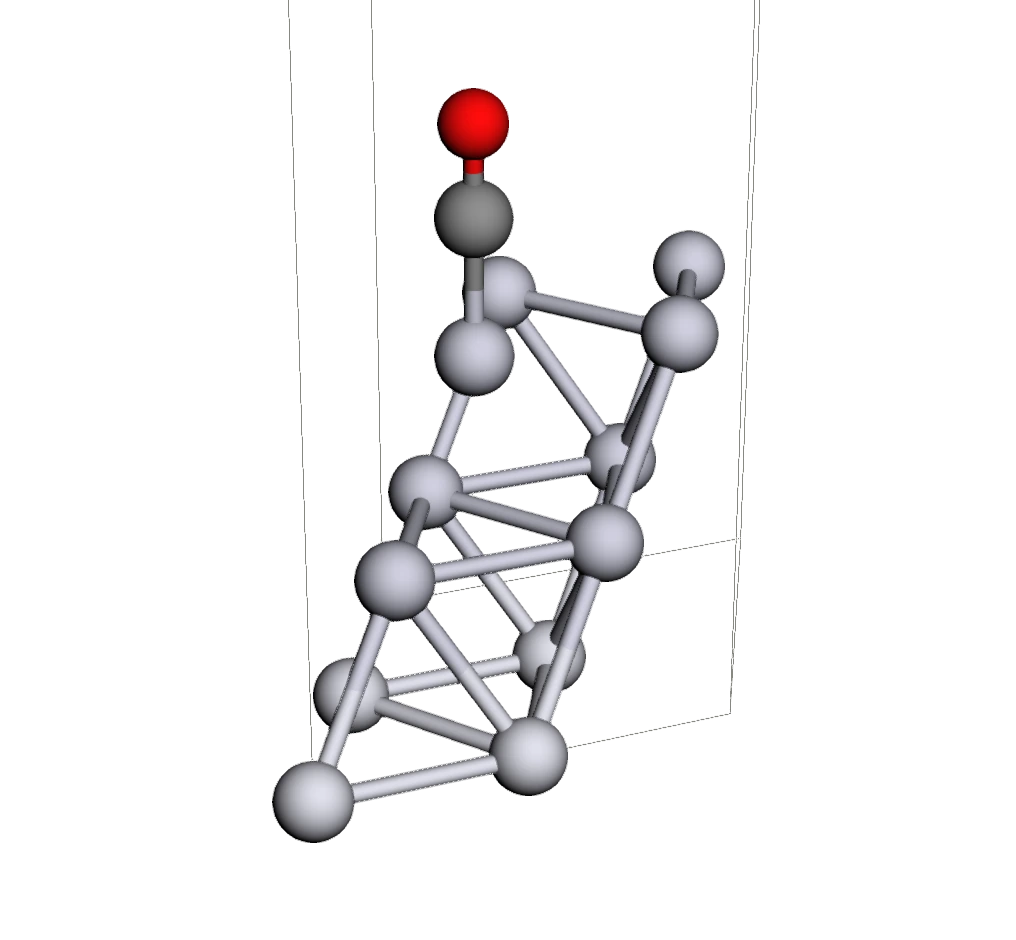
Browse the job’s folder, open a very large output a page at a time, and download a file, a selection or the whole folder as an archive.
The end of the job’s output, refreshed while you watch it.
What the input asks for, in plain words. For a VASP job: functional, cutoff, smearing, tolerances, spin — read from the INCAR, not guessed.
Connecting
Adding a server is its address and your user name. HiveBoard checks who answers, which ways of signing in it accepts, and tests the whole path before it saves anything.
HiveBoard asks with the scheduler’s own commands and the ordinary tools every login node has. There is no agent to deploy and nothing left running there.
No SSH key yet? HiveBoard creates one and installs it on the server. Your password is used for that once and is never stored.
A server that wants a password and a code is signed in to once; the connection is then kept, so you are not asked again every refresh.
A cluster you can only reach from another machine connects through it — the same idea as ssh -J.
Connected — 5 of 5 steps passed.
Safety
These are research files and somebody’s allocation. HiveBoard is built so that looking can never cost you either.
Flip the switch to see what it changes.
Cancel, continue and delete do not exist for a server until you turn job control on for that server.
Whose job it is comes from who you are on the cluster — not from a setting in HiveBoard that could be wrong.
Every action is confirmed in the app. Before a run is continued, the old POSCAR is saved beside the new one.
Passwords and one-time codes go to the server you typed them for and nowhere else. None is written to disk.
A server that needs a password is never dialled by itself, and a sign-in the server refused is not tried again until you act.
HiveBoard answers only to the computer it runs on. There is no HiveBoard account and no HiveBoard server.
Guardian
Guardian is switched off until you turn it on. While HiveBoard is open it watches your own jobs and writes down everything it notices — and, if you let it, picks up a relaxation that ran out of time.
A slow calculation and a hung one look the same from outside, and a cancel cannot be undone. So a job that has stopped writing output is reported to you, not stopped for you.
Two builds
Both show the same interface and read the same settings, keys and engine files, so you can move between them. Their tests replay the same 116 job folders, and the two must give the same answer for every one.
Runs anywhere Python 3.10 or newer does.
One self-contained file. No Python, nothing to install.
Both work with clusters that use Slurm. Other schedulers are not supported yet.
Who makes it
PhD student in Chemical Engineering at Tulane University.
HiveBoard is her own personal project, and nobody funds it.

HiveBoard 0.1.5 is one file for Windows, macOS or Linux, with nothing to install. Fill in the form and the download link appears straight away; a copy goes to your inbox.
HiveBoard is Zeinab H. Fard's own personal project, not funded by anyone.